EN
EN

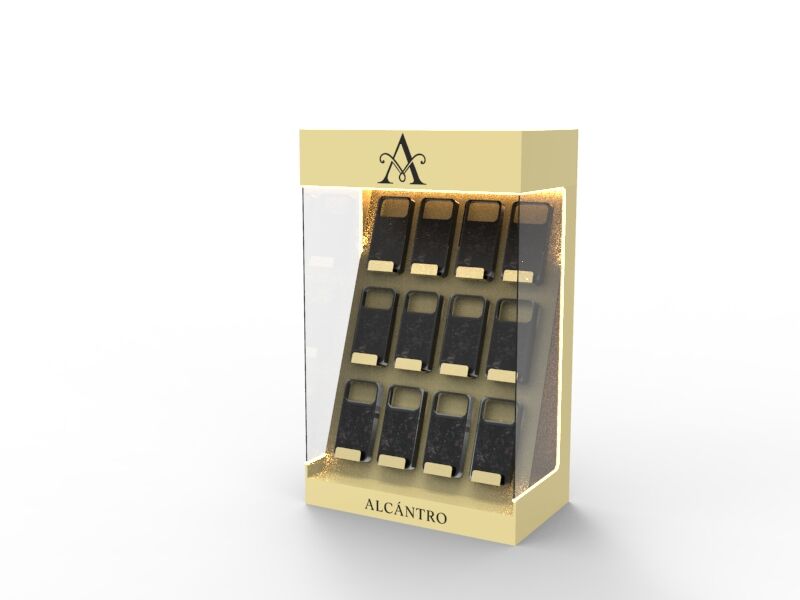
An acrylic display rack serves as one of the most versatile and elegant solutions for showcasing products in retail environments, trade shows, and commercial spaces. These transparent structures offer unparalleled visibility while maintaining a sleek, modern aesthetic that complements any interior design. Whether you're a retailer looking to maximize product exposure or a business owner seeking an effective merchandising solution, understanding how to properly assemble and maintain your acrylic display rack will ensure optimal performance and longevity. The clear construction allows products to take center stage while providing sturdy support and organization that customers and staff appreciate.
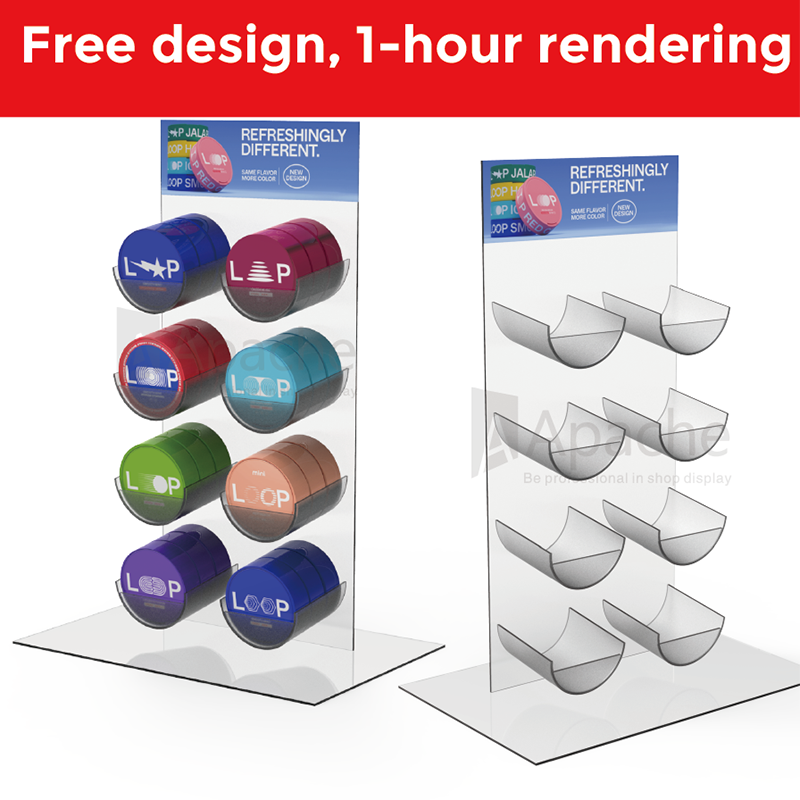
Understanding Acrylic Display Rack Components
Essential Parts and Hardware
Every acrylic display rack comes with specific components designed to create a stable and attractive merchandising solution. The primary elements typically include acrylic panels, connecting hardware, support brackets, and assembly instructions. High-quality acrylic sheets form the foundation of these displays, offering crystal-clear transparency that rivals glass while providing superior impact resistance. The thickness of acrylic panels varies depending on the intended load capacity and application requirements.
Support hardware plays a crucial role in maintaining structural integrity throughout the lifespan of your acrylic display rack. Stainless steel screws, specialized acrylic adhesives, and precision-cut joints ensure secure connections between panels. Many manufacturers include protective film on acrylic surfaces during shipping to prevent scratches and maintain pristine clarity until installation. Understanding these components helps you verify completeness before beginning assembly and identify any missing pieces that might affect the final result.
Quality Indicators and Material Specifications
Premium acrylic display rack systems utilize cast acrylic rather than extruded materials for superior optical clarity and durability. Cast acrylic offers better stress resistance and maintains its transparency over extended periods without yellowing or hazing. The material specifications should indicate UV resistance, which prevents degradation when exposed to direct sunlight or bright display lighting. Thickness measurements typically range from 3mm to 12mm depending on the size and intended use of the display.
Edge finishing quality serves as another indicator of overall craftsmanship in acrylic display rack construction. Flame-polished edges provide a smooth, professional appearance while eliminating sharp corners that could cause injury or product damage. Some manufacturers apply diamond polishing techniques for an even more refined finish that enhances light transmission and visual appeal. These quality factors directly impact both the aesthetic value and functional longevity of your display investment.
Step-by-Step Assembly Process
Preparation and Workspace Setup
Proper preparation significantly impacts the success of your acrylic display rack assembly project. Begin by selecting a clean, flat workspace with adequate lighting and sufficient room to maneuver larger panels without risk of damage. Lay out all components according to the instruction manual, checking each piece against the parts list to ensure completeness. Remove any protective film from connection points while leaving coverage on visible surfaces until final assembly completion.
Gather necessary tools including appropriate screwdrivers, measuring tape, level, and soft cloth for cleaning. Some acrylic display rack models require specific tools or adhesives that should be identified before beginning assembly. Create a systematic approach by organizing hardware in separate containers and reviewing the entire instruction sequence to understand the logical flow of construction steps. This preparation phase prevents delays and reduces the likelihood of assembly errors.
Assembly Sequence and Best Practices
Start assembly with the base components of your acrylic display rack, as this provides a stable foundation for subsequent steps. Follow the manufacturer's sequence precisely, as deviations can result in misaligned connections or structural weaknesses. Handle acrylic panels with clean hands or cotton gloves to avoid fingerprints and ensure all surfaces remain pristine throughout the process. Apply consistent but gentle pressure when tightening connections to avoid stress cracks in the material.
Each connection point requires attention to alignment and squareness to maintain the professional appearance of your acrylic display rack. Use a level frequently during assembly to verify that shelves and support elements maintain proper horizontal and vertical positioning. Take breaks between major assembly phases to step back and assess progress, making adjustments before proceeding to subsequent steps. This methodical approach ensures optimal results and reduces the need for disassembly to correct errors.
Proper Care and Maintenance Techniques
Daily Cleaning and Surface Care
Maintaining the pristine appearance of your acrylic display rack requires consistent daily cleaning using appropriate materials and techniques. Use only soft, lint-free cloths or microfiber materials to avoid scratching the acrylic surface during routine cleaning. Avoid paper towels or rough fabrics that can create microscopic scratches over time, diminishing the clarity and professional appearance of your display. Develop a systematic cleaning routine that addresses all visible surfaces methodically.
Commercial acrylic cleaners or mild soap solutions provide effective cleaning power without damaging the material surface. Never use ammonia-based products, abrasive cleaners, or solvents that can cause chemical damage to acrylic surfaces. Apply cleaning solution to your cloth rather than directly onto the acrylic display rack surface to maintain better control over application and prevent oversaturation. Work in circular motions using light pressure to remove fingerprints, dust, and other surface contaminants effectively.
Long-term Preservation Strategies
Implementing comprehensive long-term care strategies extends the functional life and aesthetic appeal of your acrylic display rack investment. Position displays away from direct heat sources, excessive sunlight, and areas with temperature fluctuations that could cause material expansion and contraction. Regular inspection of connection points helps identify loosening hardware before it affects structural stability or creates safety concerns for displayed products.
Develop a scheduled maintenance routine that includes thorough cleaning, hardware inspection, and surface assessment for any signs of wear or damage. Document any issues promptly and address minor problems before they develop into major repair requirements. Store spare hardware and touch-up materials in a designated location for quick access when maintenance needs arise. This proactive approach ensures your acrylic display rack continues performing optimally throughout its service life.
Troubleshooting Common Issues
Assembly Problems and Solutions
Even experienced assemblers occasionally encounter challenges when building an acrylic display rack system. Misaligned holes represent one of the most common assembly issues, often resulting from improper positioning during the connection process. When holes don't align perfectly, avoid forcing connections that could crack the acrylic material. Instead, carefully loosen adjacent connections and reposition panels until proper alignment is achieved naturally.
Stress cracks around connection points indicate excessive tightening or poor technique during assembly. These hairline fractures compromise both structural integrity and aesthetic appeal of your acrylic display rack. Prevention involves using appropriate torque levels and ensuring even pressure distribution across connection surfaces. If cracks do appear, consult the manufacturer about repair options or replacement panel availability to maintain the display's professional appearance.
Performance and Stability Concerns
Wobbling or instability in your acrylic display rack typically results from uneven flooring, loose connections, or improper weight distribution. Begin troubleshooting by checking all hardware connections and tightening any loose elements according to manufacturer specifications. Verify that the display sits on a level surface and consider using adjustable feet or shims to compensate for minor floor irregularities that affect stability.
Overloading represents another common cause of performance issues in acrylic display rack systems. Review weight capacity specifications and redistribute products if necessary to prevent sagging, stress fractures, or complete failure. Monitor load distribution across shelves and support points, ensuring that concentrated weights don't exceed design limitations. Regular assessment of loading patterns helps maintain optimal performance while protecting your investment in quality display infrastructure.
Maximizing Display Effectiveness
Strategic Product Placement
Effective product placement transforms your acrylic display rack from a simple storage solution into a powerful merchandising tool that drives sales and customer engagement. Position high-priority items at eye level where they receive maximum visibility and customer attention. Consider the natural flow of customer traffic through your space and arrange products to guide browsing patterns toward featured merchandise or promotional items.
Color coordination and product grouping create visual harmony that enhances the professional appearance of your acrylic display rack presentation. Group related items together while maintaining sufficient spacing to prevent overcrowding that obscures individual products. The transparent nature of acrylic allows backlighting effects and creative positioning that wouldn't be possible with opaque display materials. Experiment with different arrangements to discover configurations that maximize both aesthetic appeal and sales effectiveness.
Lighting and Environmental Considerations
Proper lighting dramatically enhances the effectiveness of any acrylic display rack by creating visual interest and highlighting featured products. LED strip lights mounted beneath shelves provide even illumination without generating excessive heat that could affect displayed merchandise. Consider color temperature carefully, as warm lighting creates inviting atmospheres while cool lighting emphasizes product details and technical specifications.
Environmental factors including temperature, humidity, and air circulation affect both your acrylic display rack and the products it holds. Maintain consistent environmental conditions to prevent material expansion, condensation, or other issues that could compromise display performance. Position displays away from heating vents, air conditioning units, and exterior doors where temperature fluctuations occur frequently. These considerations ensure optimal conditions for both your display investment and the merchandise it showcases.
FAQ
How often should I clean my acrylic display rack
Daily light cleaning maintains optimal appearance, while thorough weekly cleaning addresses accumulated dust and fingerprints. High-traffic retail environments may require more frequent attention to maintain professional standards. Use appropriate cleaning materials and techniques to avoid surface damage during routine maintenance.
What weight capacity should I expect from a standard acrylic display rack
Weight capacity varies significantly based on design, material thickness, and construction methods. Most standard units support 10-30 pounds per shelf, while heavy-duty models accommodate substantially more weight. Always consult manufacturer specifications and avoid exceeding recommended limits to prevent damage or safety issues.
Can I modify or customize my acrylic display rack after assembly
Limited modifications are possible using appropriate tools and techniques, though extensive changes may compromise structural integrity. Consider professional consultation for significant alterations to ensure safety and maintain warranty coverage. Many manufacturers offer custom solutions that eliminate the need for post-assembly modifications.
How do I prevent scratches and maintain clarity in my acrylic display rack
Use only soft cleaning materials, avoid abrasive substances, and handle products carefully during placement and removal. Regular maintenance using appropriate cleaning products preserves transparency and prevents accumulation of surface contaminants. Proper handling techniques and protective measures during product changes minimize scratch risk throughout the display's service life.